Background removal before and after: real examples
Last updated October 17, 2026
Short answer
These are real photos, cut out by CutOutFree and left untouched: a puppy, a macaw and a husky. Soft fur, feathers and floppy ears all come through, because each animal stands out clearly from its background. Results always depend on the photo, so the end of this page shows which photos work best and which are hard for any background remover.
A puppy on the beach
A light-colored puppy against a bright sky and pale sand. The floppy ears, the fur on the paws and even some whiskers are kept, and the sand around the paws is gone.
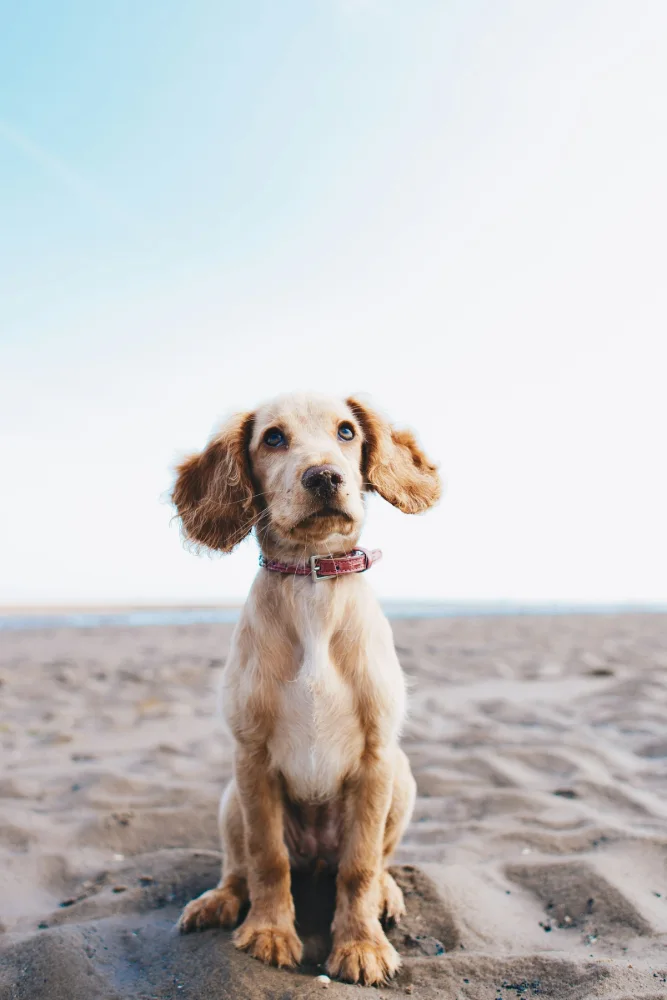 Before
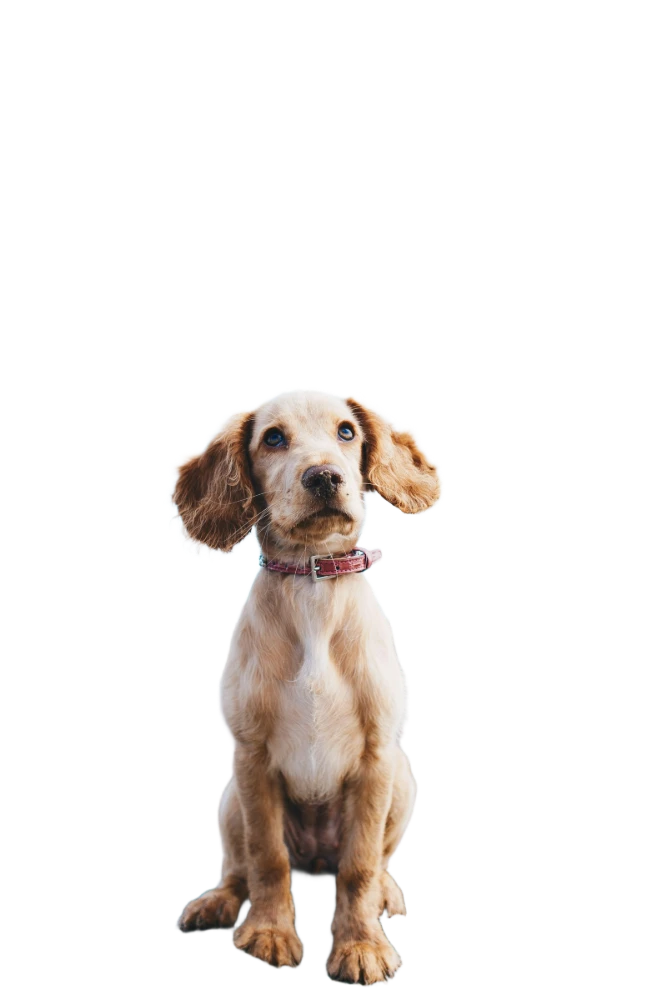 After
AfterA macaw on a new color
Bright red feathers against blurred green leaves: strong contrast, so the edge of every feather is clean. The branch counts as background and is removed, while the claws holding it stay.
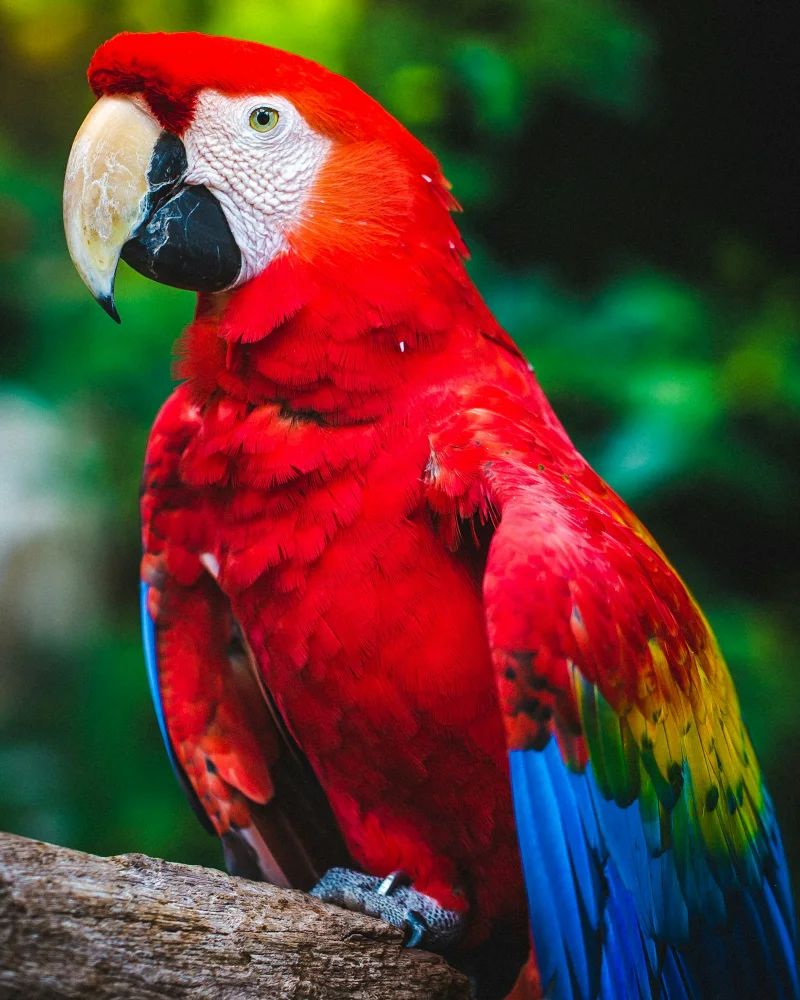 Before
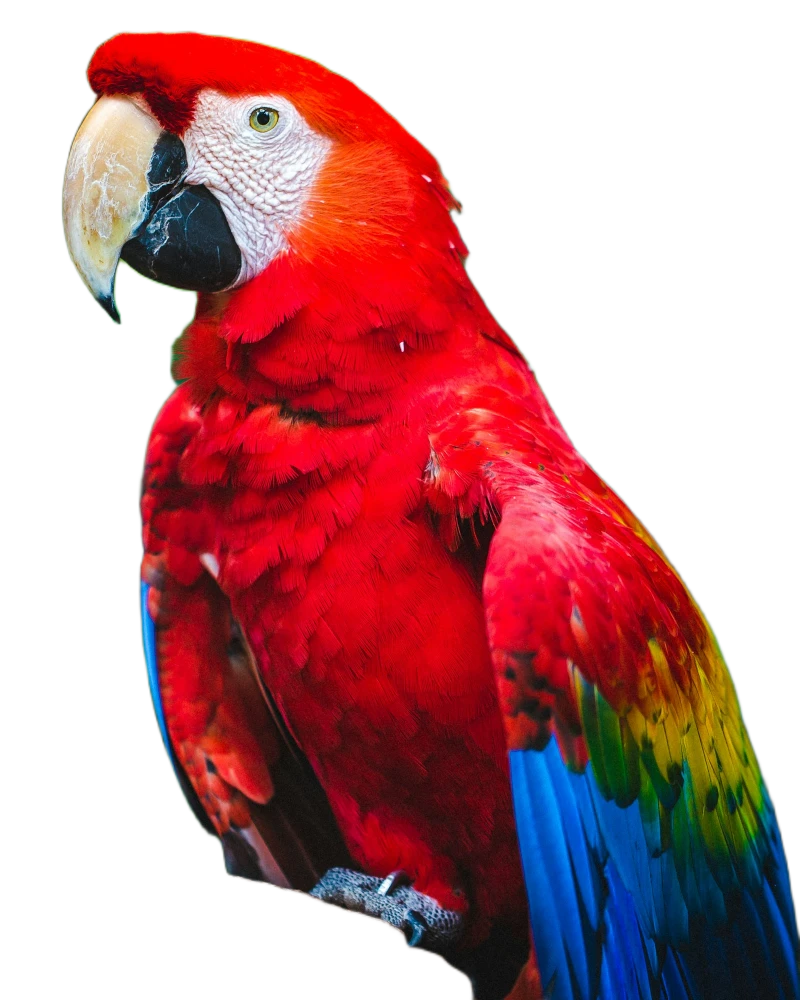 After
AfterA husky on white
Thick gray-and-white fur in front of trees, grass and a fence: a busier background. The fur outline stays soft and natural. Notice that the rock the husky sits on is removed too, because the AI keeps the main subject, not what it stands on.
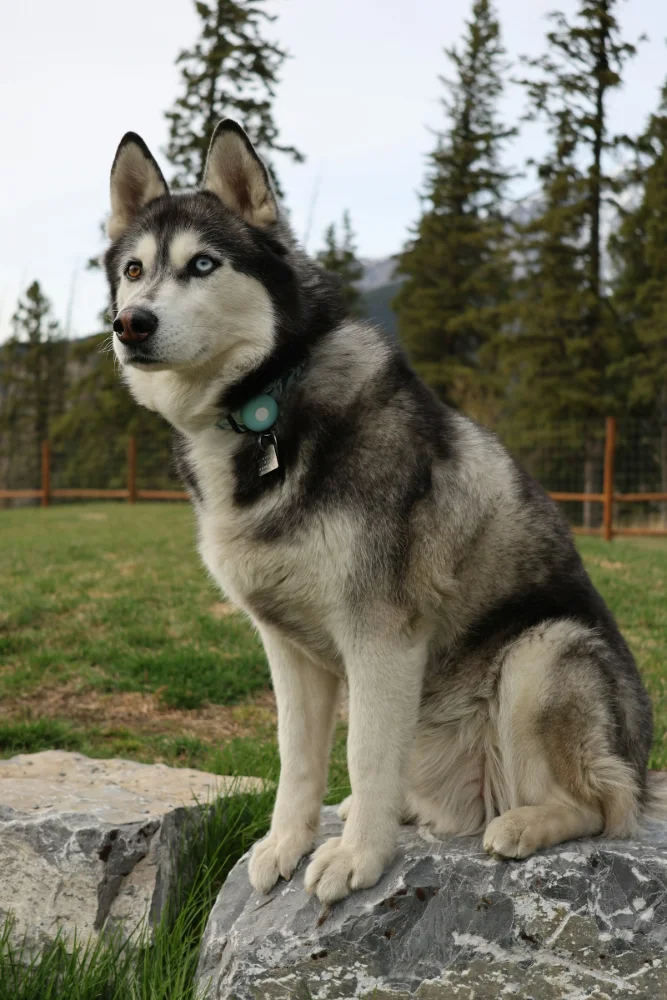 Before
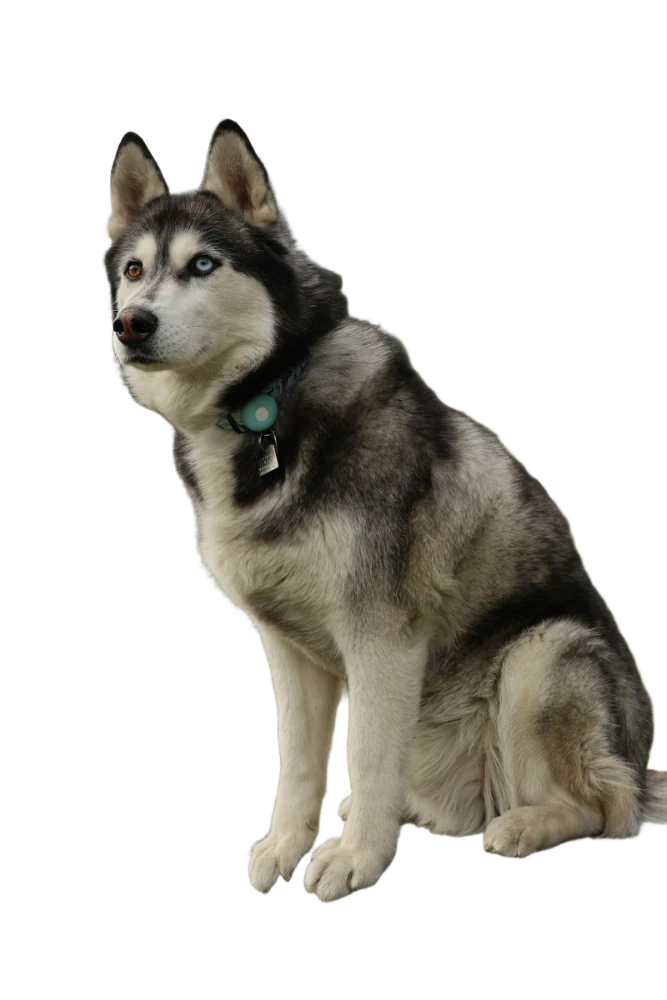 After
AfterPhotos that work best
- One clear subject: a person, a pet, a product, a car, a plate of food.
- A background that differs from the subject in color or brightness.
- A sharp, well-lit photo, with the subject large in the frame.
Photos that are hard
- Glass, water and see-through things: the background shows through them, so the AI can’t tell what belongs to the subject.
- A subject the same color as the background, like a white cup on a white table.
- Several people or objects when you only want one: the AI may keep them all, or drop some.
- Very dark, blurry or tiny subjects.
For people and pets with lots of hair, see how to keep hair and fine edges.
Try it now
Free for 10 photos a day, no sign-up, nothing uploaded.
Remove a backgroundQuestions
Were these examples edited?
No. Each one was cut out by CutOutFree and saved as it came out, with nothing retouched.
Can I try these photos myself?
Yes. They are on the home page under “No photo handy? Try one”. The examples are free and do not use your daily images.
Why does my own result look worse?
It depends on the photo and the device. Phones use a lighter AI; on a computer, choose Detailed under Quality for hair and fine edges, and try a photo with a plainer background.
Does it work for products, cars and other objects?
Yes. It is not limited to people and animals: it cuts out whatever stands out as the main subject of the photo.
More guides
- How to remove the background from a photo for free
- How to put a product photo on a pure white background
- How to remove a photo background on iPhone or Android, without an app
- Transparent PNG or white background: which one should you use?
- How to remove a background without losing hair and fine edges
- How to remove a background without uploading your photo
- CutOutFree vs remove.bg: an honest comparison